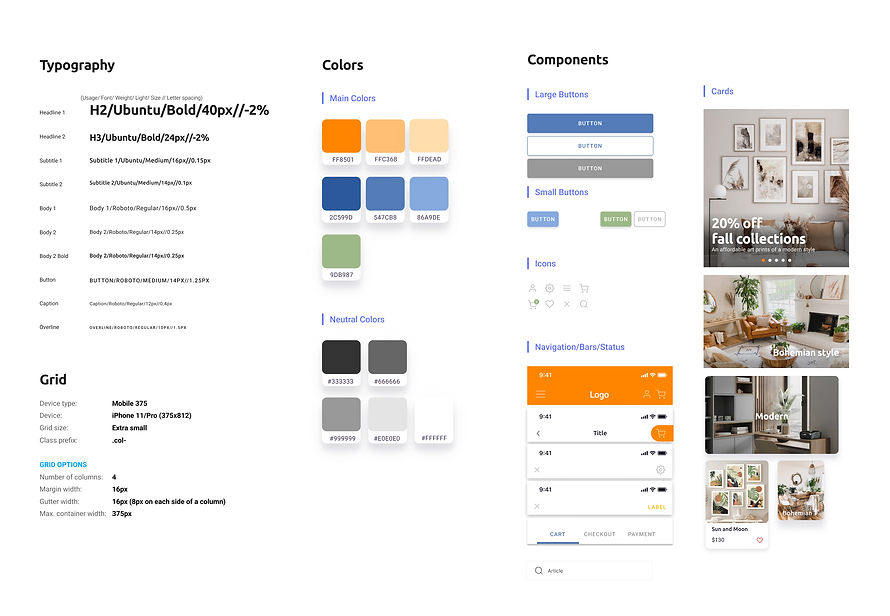
Create your own wall with art

Project Overview
The product
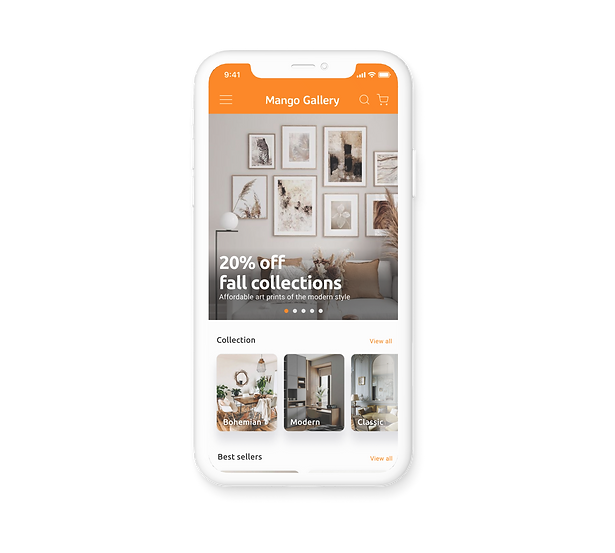
Mango Gallery is a wall art shopping app which aims to introduce thematic wall art for home décor. The shop has modern, colorful, and fun vibes attracting young art enthusiasts. The Gallery helps customers to choose art prints based on their taste and home décor style.
The problem
When purchased art prints are placed on wall, it does not match with a room style.
The goal
Design an app for Mango Gallery that allows users to easily find and order art prints that match with their room décor style.
Project type
Solo case study
UX/UI Design - Mobile app
Responsibilities
Conducting interviews, paper and digital wireframing, low and high-fidelity prototyping, conducting usability studies, accounting for accessibility, iterating on designs
Project duration:
February to March 2022
UNDERSTANDING THE USER
User Research
I conducted interviews with six participants and created empathy maps to understand the users I’m designing for and their needs. A primary user group identified through research was working adults who are interested in home decor and needs to choose the right wall art. The research revealed that users find it difficult to find a wall art with right size and right style.

User Pain Points
Style
Choosing wall art takes time because users usually check all the available art to see which art print matches with décor style of the room
Size
Users don’t get an exact measurement of wall and roughly guess the size of wall art they need
Navigation
Most wall art online shop has too many subcategories on menus which cause confusion and makes more difficult to choose a print
User Persona

PRIMARY
Name: Emily
Age: 25
Occupation: Fashion Designer
Emily is very interested in interior design. She likes changing the style of the house for a new look and wall art is important to set the atmosphere, but she finds it difficult to find the right art which perfectly matches with her décor style.

SECONDARY
Name: Micheal
Age: 37
Occupation: Dentist
Micheal likes visiting various galleries. However, due to his tight work schedule and budgets, he recently start collecting art prints online. He enjoys giving wall art as a gift to his friends and family especially when they move in a new house.
From Findings to Features
For the final piece of the research phase, I defined challenges and started to construct the solution.
CHALLENGES
1) Find a way to simplify menus and categories
I wanted to simplify menus and categories by putting decor styles as main category and other ways of division as filters under the category.
2) Browse art prints in design styles and find the print with right size seamlessly
I decided to bring a display art on wall app into this app, which uses augmented reality to visualize the piece of art on your wall in real-time. Also, I wanted to add the feature of adjusting the size of art prints while looking at the wall with a camera so that users can see which size of the artwork is best.

STARTING THE DESIGN
Wireframes
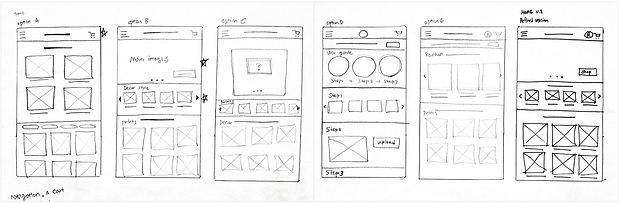
With all my research and conclusions in mind, I started drawing up some ideas. Taking the time to draft iterations of each screen of the app on paper ensured that the elements that made it to digital wireframes would be well-suited to address user pain points. For the home screen, I prioritized a quick and easy browsing process to help users save time.
Low-fidelity prototype
Using the completed set of digital wireframes, I created a low-fidelity prototype. The primary user flow I connected was finding and ordering an art print, so the prototype could be used in a usability study.

REFINING THE DESIGN
Usability test
I conducted two rounds of usability studies. Findings from the first study helped guide the designs from wireframes to mockups. The second study used a high-fidelity prototype and revealed what aspects of the mockups needed refining.
ROUND 1 FINDINGS
Users want to compare preview images with different products
Users want tips on how to use the preview feature
Users want to have a better way of understanding the preview feature
ROUND 2 FINDINGS
It is hard to find and use ‘Search’ function
The title of category list is confusing

Change # 1
Adding tips for Wall Art Visualizer
After the usability studies, I added a screen to provide tips on how to use the preview feature for users who are not familiar with the process. I also added more customized options such as size of prints on the camera screen.
Before Testing

After Testing


Change # 2
Easy to compare the photos
Many testers would compare photos taken with different art prints so that they can select the best one. However, it is nuisance to screen capture the photo by themselves. I added the button Save To Gallery which allows users to save the photo in their phone gallery and later compare those before purchasing the right one.
Before Testing

After Testing

Change # 3
Refined browsing experience
The second usability study revealed frustration with finding search box for users who prefer to find prints with specific subjects. I added a search icon/box on the home screen and the product list screen to easily navigate through search.
Before Testing

After Testing

High-fidelity prototype
The final high-fidelity prototype presented cleaner user flows for choosing a print and checkout. It also met user needs for matching prints with their home décor style.


STYLE GUIDE